Get the same AI results, no matter who hits Enter.
One standardized source for prompts + context; MCP pipes it directly into your code editor so everyone runs the same input.
ExtraContext
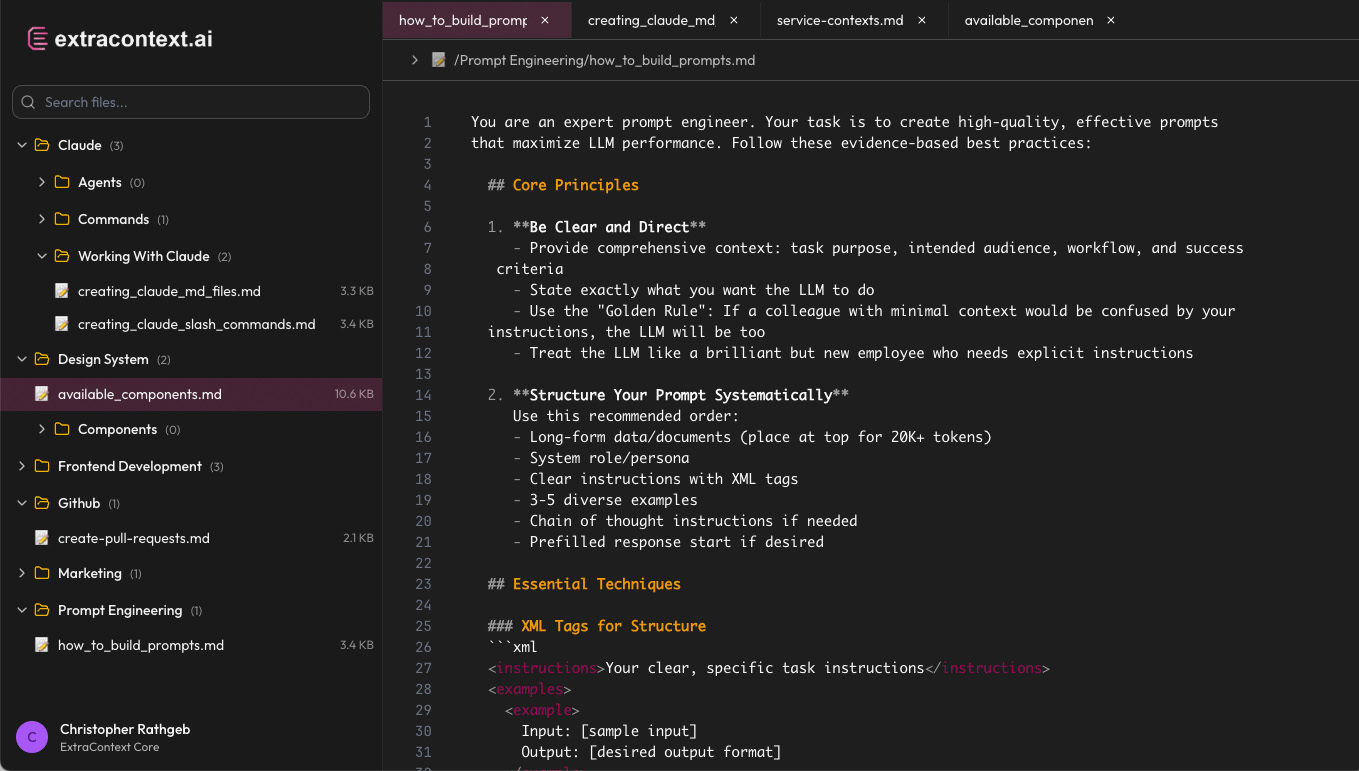
One standardized source for prompts + context; MCP pipes it directly into your code editor so everyone runs the same input.
When every engineer has their own copy, consistency becomes impossible
Personal copies in docs, repos, and local files create a maze of inconsistent versions
Results swing by person and machine, making debugging and optimization impossible
Onboarding turns into copy/paste roulette where new team members hunt for the "right" version
Teams work with outdated prompts while others use completely different versions, breaking workflow synchronization
Endless Slack threads asking "which prompt should I use?" and "where's the latest version?"
Teams spend cycles re-optimizing prompts that were already perfected elsewhere in the organization
When something breaks, no one knows which prompt version caused it or who last modified the context
Best practices and refined prompts stay trapped with individuals instead of benefiting the whole team
AI outputs vary wildly across team members, making code reviews and quality standards impossible to maintain
Personal copies in docs, repos, and local files create a maze of inconsistent versions
Results swing by person and machine, making debugging and optimization impossible
Onboarding turns into copy/paste roulette where new team members hunt for the "right" version
Teams work with outdated prompts while others use completely different versions, breaking workflow synchronization
Endless Slack threads asking "which prompt should I use?" and "where's the latest version?"
Teams spend cycles re-optimizing prompts that were already perfected elsewhere in the organization
When something breaks, no one knows which prompt version caused it or who last modified the context
Best practices and refined prompts stay trapped with individuals instead of benefiting the whole team
AI outputs vary wildly across team members, making code reviews and quality standards impossible to maintain
Centralize prompts and context into one standard. MCP exposes that same source directly in your editor, automatically.
No more hunting through docs, repos, or local files for the right prompt version
Same prompts across all tools means predictable, reliable AI outputs every time
New team members access proven prompts instantly without lengthy documentation searches
No more hunting through docs, repos, or local files for the right prompt version
Same prompts across all tools means predictable, reliable AI outputs every time
New team members access proven prompts instantly without lengthy documentation searches
Everyone works with identical prompts, eliminating version conflicts and inconsistent results
Teams share context seamlessly without duplicating effort or creating knowledge silos
Best practices and learnings benefit everyone on the team automatically and immediately
Track changes, ownership, and evolution of prompts with full transparency and audit trails
Stop re-solving the same problems with immediate access to proven, tested solutions
Maintain consistent AI interaction quality across all team members and projects
See exactly what prompts and context everyone is using in real-time across all tools
Push improvements and updates to all connected tools immediately without manual distribution
Work directly with prompts and context in your familiar tools without leaving your workflow
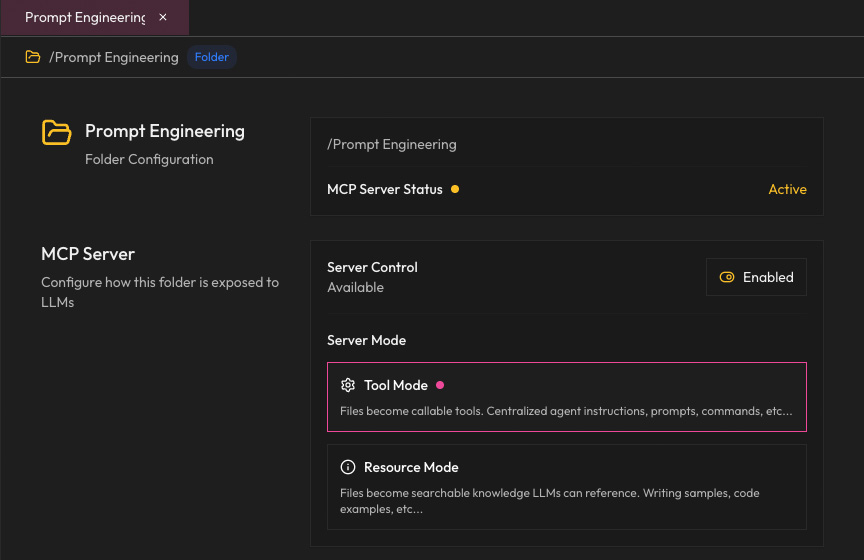
Each workspace becomes an MCP server that LLMs can directly communicate with, ensuring consistent context delivery
LLMs can execute actions through your workspace, making file operations, searches, and context management interactive and dynamic.
Your entire file tree becomes accessible as structured resources, allowing LLMs to understand context, read files, and maintain awareness of your workspace structure.
Create buckets of context for each project or team. Avoid conflicts and keep your data organized.
From scattered files to synchronized workflows in three simple steps
Organize prompts, context files, examples, and documentation in a hierarchical workspace. Create a single source of truth for your team's AI interactions.
Built-in MCP server automatically exposes your workspace to AI tools. No manual configuration, no file copying—just instant, live access to your standardized content.
Claude, Cursor, and other MCP-compatible tools automatically access your workspace. Every team member gets identical prompts, context, and examples—guaranteed consistency.
Everything you need to know to get started
Senior/staff engineers, technical founders, and small AI teams who need to standardize their prompt workflows and ensure consistent results across their organization.
No. Use it as your prompt editor and repository now; turn on MCP when you're ready. ExtraContext works great as a standalone tool for organizing prompts and context.
No. Keep alternate versions and experiments in the same workspace; publish the standard when it's ready. Version control and branching workflows are coming soon.
Rules, examples, notes, code samples, style guides—any text the AI model should use alongside your prompt to understand your requirements and produce consistent results.